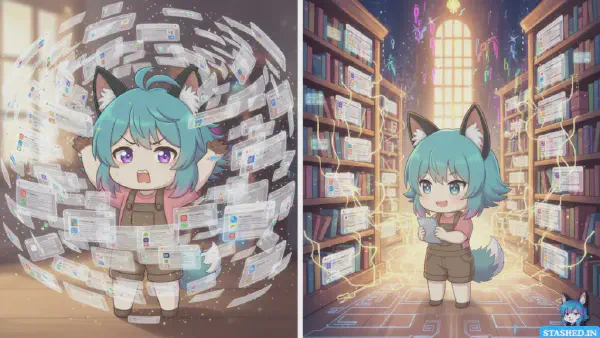
I watched a successful creator have a complete breakdown on Twitter last month.
They’d built an audience of 50,000 followers, published consistently for two years, and made decent money. From the outside, everything looked perfect. Then one day they posted: “I can’t remember the last time I wasn’t thinking about content. I’m exhausted. I might quit everything.”
The replies were heartbreaking. Hundreds of creators saying “me too.” Successful people, burned out not from lack of results but from unsustainable workflows.
I’ve been there. When I was building stashed.in while creating content about it, I hit a point where I had 47 browser tabs open, three note-taking apps fighting for attention, ideas scattered across Notion, Apple Notes, and random text files, and zero clarity about what I was actually working on.
The problem wasn’t motivation or ideas. It was workflow chaos. I was spending more energy managing my creative process than actually creating.
That’s when I started studying how sustainable creators work. Not just successful ones, but people who’ve been creating consistently for 5+ years without burning out. I looked at writers, YouTubers, designers, developers, and indie makers.
The patterns were striking. Sustainable creators don’t have more discipline or better ideas. They have better systems. Systems that make creation easier, not harder. Systems that work with their energy, not against it.
After months of experimentation and talking to dozens of creators, here’s the workflow that actually works for people who live on the internet.
The Core Problem: Creation vs. Management#
Most creator advice focuses on tactics. Post more. Use these hooks. Try this format. But tactics don’t fix the fundamental problem: you’re drowning in creative debt.
What Creative Debt Actually Is#
Creative debt is like technical debt, but for content. It accumulates when:
- You have ideas but no system for capturing them
- You save resources but can never find them again
- You start projects but forget why they mattered
- You create content but lose track of what you’ve published
- You learn things but can’t reference what you learned
Each piece of unprocessed information creates cognitive load. That article you meant to read. That idea you wanted to explore. That resource you saved somewhere. They pile up, creating constant background anxiety.
The solution isn’t creating more. It’s reducing the friction between having ideas and executing them.
The Two Modes Problem#
Creators constantly switch between two incompatible modes:
Input mode: Reading, researching, exploring, discovering. This requires openness, curiosity, and wandering attention.
Output mode: Writing, recording, designing, building. This requires focus, closure, and directed attention.
The problem? Most creators try to do both simultaneously. You’re writing an article while also reading research for it. You’re recording a video while discovering new examples to include. You’re designing while gathering inspiration.
This context switching kills both activities. Your research is shallow because you’re thinking about creation. Your creation is scattered because you’re still discovering inputs.
Sustainable creators separate these modes completely. They have distinct times for input and output, with systems that bridge between them.
The Four-Phase Creator Workflow#
After studying sustainable creators and refining my own process, I’ve found a four-phase workflow that actually works:
Phase 1: Capture Without Interruption#
The first phase is pure input. You’re reading, exploring, discovering. The only goal is capturing what resonates.
What you’re capturing:
- Articles that change your thinking
- Examples of excellent work
- Resources you might reference later
- Ideas that spark excitement
- Questions your audience asks
- Tools worth exploring
- Competitor analysis
- Industry trends
The critical rule: Capture fast, organize later. Spending three minutes deciding where to file something is three minutes not spent discovering. Just save it with minimal context and move on.
When I’m in capture mode, I use stashed.in specifically because it’s optimized for speed. Find something interesting, click save, add one sentence about why, choose which stash it belongs to (takes 2 seconds because I know my collections), done. The entire process is under 10 seconds.
This speed matters because capture mode is about volume and serendipity. You’re following links, exploring tangents, discovering unexpected connections. Any friction kills the flow.
When to do this: I block 45 minutes every morning for pure capture. Coffee, browser, curiosity. No pressure to create anything. Just explore and save.
Some creators prefer evenings. Others do it in chunks throughout the day. The timing matters less than having dedicated time where creation isn’t the goal.
Phase 2: Organize and Connect#
The second phase happens separately. This is when you process what you captured and turn it into organized knowledge.
What you’re doing:
- Review everything you saved recently
- Add better context if needed
- Move things between collections
- Notice patterns and themes
- Connect related resources
- Identify what’s worth deep reading vs. skimming
- Prune things that no longer seem valuable
The critical insight: Organization reveals ideas. When you see that you’ve saved eight resources about async communication, that’s a signal. Maybe that’s your next article topic. Maybe you’ve been unconsciously researching something that matters.
I spend 20-30 minutes on Sunday mornings in organization mode. I browse through my stashed.in collections from the past week. I notice what themes emerged. I add notes connecting things. I move resources around as patterns become clear.
This isn’t busywork. It’s thinking time disguised as organization. By deliberately reviewing and organizing, you synthesize what you’ve been consuming. Ideas crystallize. Angles emerge. Your organized collections become idea generators.
Visual organization helps: This is why I built stashed.in with visual collections. Each stash has a header image and aesthetic that reflects its vibe. When I’m browsing, I recognize collections visually. My “Writing Craft” stash looks different from “Product Strategy” which looks different from “Design Inspiration.”
This visual distinction makes wandering through collections pleasant. I’m not just scanning lists. I’m exploring spaces.
Phase 3: Deep Work on One Thing#
The third phase is pure creation. This is when you stop consuming entirely and make something.
The rules for this phase:
- Close all input sources (no research tabs, no social media)
- Work on exactly one piece of content
- Use your organized collections as research, not live browsing
- Time-box the session (2-3 hours maximum)
- Finish the piece or reach a clear stopping point
Why this works: By separating input from output, you avoid the context-switching tax. You’re not researching while writing. You’re writing from organized research you already did.
When I’m writing an article, I open the relevant stashed.in collections beforehand. My “Writing Craft” stash for style inspiration. “Product Strategy” for business angles. “Creator Economy” for trends. I spend 5 minutes browsing these, pulling the most relevant links into a separate window, then close everything else.
Now I’m writing from curated material. I’m not discovering while creating. I’m synthesizing and adding my perspective to resources I’ve already vetted.
This approach makes creation faster and less stressful. No “I should research this more” spiral. No “let me check one more thing” tab hopping. Just focused creation from abundant, pre-organized material.
Energy management matters: Schedule deep work when you’re naturally most focused. For me, that’s 10am-1pm. For you, it might be evenings or early mornings. Match your creative work to your energy, not arbitrary schedules.
Phase 4: Publish and Document#
The final phase is shipping and recording what you created.
What you’re doing:
- Publish the content
- Update your content calendar
- Save your own work to appropriate collections
- Note what performed well or poorly
- Capture ideas that emerged during creation
- Share with relevant communities
Why document your own work: In six months, you won’t remember what you published or why. Saving your own content to your collections creates a portfolio you can actually browse and reference.
I have a stashed.in collection called “What I’ve Built” that contains everything I’ve shipped. Blog posts, product updates, tweets that resonated. This serves multiple purposes:
- Portfolio for showing my work
- Reference when I need to link to previous content
- Pattern recognition (what topics keep emerging?)
- Reminder of progress when impostor syndrome hits
Share strategically: Don’t just post and pray. Identify 3-5 communities where your content is genuinely relevant. Share thoughtfully with context about why it matters to that specific community.
Password-protected stashes work well for sharing with specific groups. I have collections shared with just my team, or just a mastermind group, or just beta users. This lets me get feedback without exposing everything publicly.
The Tools That Support This Workflow#
Workflows need tools, but tools shouldn’t dictate workflows. Here’s the minimal stack that supports this four-phase process:
For Capture: A Fast Link Manager#
You need something optimized for saving links quickly with context. Browser bookmarks are too limited. Note-taking apps are too slow.
I built stashed.in specifically for this: one-click saving, visual organization, fast searching. But the key features for any capture tool:
- Saves links in under 10 seconds
- Works on mobile and desktop
- Lets you add brief context easily
- Organizes by flexible collections, not rigid folders
For Creation: Your Preferred Writing/Design/Video Tool#
Use whatever creation tool works for your medium. Don’t overthink this. The best tool is the one you’re already comfortable with.
For writing: Google Docs, Notion, iA Writer, whatever feels natural. For video: Your editing software of choice. For design: Figma, Sketch, or other design tools.
The key is using one tool per session. No app hopping during creation.
For Publishing: Platform-Specific Tools#
WordPress for blogs. YouTube for video. Twitter/LinkedIn for social. Substack for newsletters. Whatever platforms your audience uses.
Don’t try to be everywhere. Pick 1-2 primary platforms and do them well.
For Task Management: Something Simple#
You need to track what you’re working on without complex project management overhead.
A simple kanban board works: To Research, To Create, In Progress, Published. Move cards through the workflow. That’s it.
Notion, Trello, or even Apple Reminders can handle this. The simpler, the better.
Common Workflow Mistakes That Kill Productivity#
After watching hundreds of creators struggle, here are the patterns that consistently cause problems:
Mistake 1: Researching While Creating#
This is the creativity killer. You’re writing an article and realize you need an example. So you start Googling. Forty minutes later, you’ve read six articles but written nothing.
Fix: Do all research in advance. If you hit a gap during creation, leave a placeholder like [NEED EXAMPLE HERE] and keep writing. Fill gaps in a dedicated editing pass later.
Mistake 2: No Capture System#
You read interesting things but don’t save them properly. So when you need that perfect example you saw last month, you spend 20 minutes searching browser history and failing to find it.
Fix: Build capture into your daily routine. Morning coffee and browsing? Save everything interesting immediately. On your phone? Use mobile sharing to save to your link manager. Never trust your memory.
Mistake 3: Creating Before You Have Material#
You decide to write about topic X. You sit down with a blank page and start from zero. It’s painful and slow because you’re trying to research and create simultaneously.
Fix: Only create about topics where you’ve already collected 10+ resources. If you haven’t been capturing material about something, you’re not ready to create about it yet.
Mistake 4: No Content Calendar#
You publish whenever inspiration strikes. Sometimes that’s three times a week. Sometimes you go silent for two months. Your audience never knows what to expect.
Fix: Commit to a sustainable cadence. Once a week is infinitely better than sporadic bursts. Plan your content pipeline in advance so you’re always working ahead.
Mistake 5: Not Reusing Your Research#
You research deeply for one piece, then never touch that material again. Next time you create about a similar topic, you start from scratch.
Fix: Your organized collections become evergreen research libraries. That stash about “Productivity Systems” doesn’t just serve one article. It serves every article you’ll ever write about productivity.
Mistake 6: Perfectionism in Organization#
You spend more time organizing than creating. You’re constantly redesigning your system, tweaking categories, and optimizing workflows.
Fix: Good enough organization used consistently beats perfect organization that paralyzes you. Start simple. Three to five collections. Build from there only as needed.
How This Workflow Scales With Your Growth#
One beautiful thing about this system: it scales from side project to full-time creator without breaking.
At 0-1,000 Followers#
You’re focused on finding your voice and building basic consistency. The workflow helps you:
- Build a content pipeline before you feel ready
- Develop taste by curating examples of great work
- Stay consistent without burning out
Time investment: 2-3 hours weekly. 45 minutes capture, 30 minutes organization, 1-2 hours creation.
At 1,000-10,000 Followers#
You’re finding product-market fit and growing steadily. The workflow helps you:
- Identify what resonates by noticing patterns in your collections
- Collaborate more easily by sharing password-protected stashes with partners
- Reference your own work when creating new content
Time investment: 5-8 hours weekly. More creation time, but the organized research makes it faster.
At 10,000+ Followers#
You’re running a real business. The workflow helps you:
- Maintain quality while increasing output
- Build public collections that serve your audience
- Train team members by sharing organized resources
- Never lose track of important information
Time investment: 10+ hours weekly, but potentially delegating capture and organization while you focus on creation.
The fundamental workflow doesn’t change. The time allocated does.
Building Your Version of This System#
Don’t copy this workflow exactly. Use it as a framework and adapt to your specific needs.
This week:
- Pick one primary capture tool (stashed.in, Raindrop, whatever works)
- Create 3-5 collections for topics you create about
- Block 30 minutes for pure capture (no creation pressure)
- Save everything interesting with one-sentence context
This month:
- Add a weekly organization ritual (Sunday mornings work for me)
- Start separating input mode from output mode
- Only create about topics where you’ve collected 10+ resources
- Track what you publish in a simple calendar
This quarter:
- Notice patterns in what you’re collecting
- Create at least one public stash to share your curation
- Refine your workflow based on what’s actually working
- Build a content pipeline that’s at least two weeks ahead
The goal isn’t perfection. It’s reducing friction between discovering ideas and creating content.
Why I Built Stashed.in This Way#
When I started building stashed.in, I was solving my own problem. I needed something that:
Made capture effortless. If saving something took more than 10 seconds, I wouldn’t do it consistently. The friction had to be nearly zero.
Looked pleasant to browse. Visual collections with header images made revisiting my collections feel like exploring a personal museum, not searching a database.
Supported both private and social use. Some collections needed to be private research. Others were resources worth sharing publicly. Password protection added the middle ground for team collaboration.
Helped ideas emerge. By organizing resources visually by theme, patterns became visible. Those eight links about async work? That’s your next article.
Worked for creators specifically. Not just bookmark management, but creation infrastructure. Your collections become the raw material for everything you make.
The result is a tool that fits naturally into this four-phase workflow. But the workflow matters more than any specific tool.
Start With Capture#
If this workflow seems overwhelming, start with just Phase 1. Get good at capturing without interruption.
For the next week, every time you find something interesting online, save it immediately with one sentence about why. That’s it. Don’t worry about organizing. Don’t worry about creating. Just practice capturing with context.
After a week, you’ll have 30-50 saved resources and a much clearer picture of what you’re actually interested in. Then add the other phases gradually.
The creators who succeed long-term aren’t the most talented. They’re the ones who build sustainable systems that make creation easier over time, not harder.
Your workflow should be your advantage, not your burden.
Start building it today.