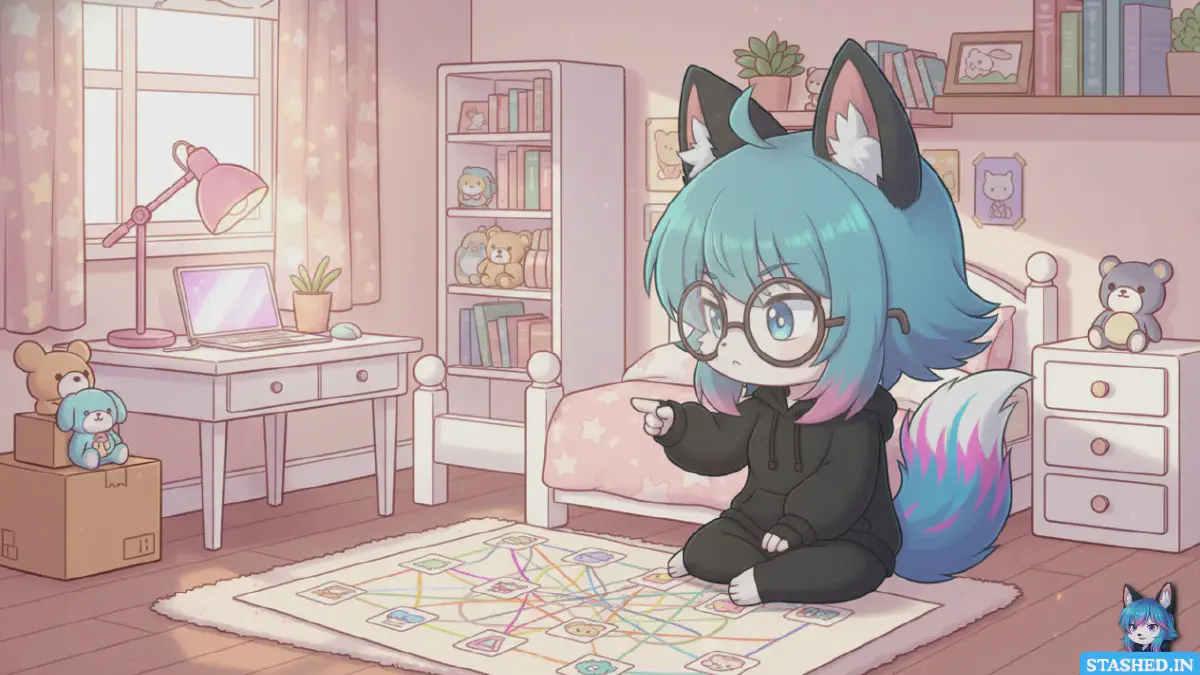
If you’ve been on the internet long enough, your bookmarks folder probably looks like an archaeological dig site. Layers of half-forgotten links, old articles you swore you’d read, maybe a few YouTube videos that don’t even exist anymore. It’s not a system; it’s chaos with good intentions.
But what if your bookmarks could actually think with you? What if instead of a dusty drawer full of dead links, they became an organized web of ideas, inspiration, and resources? That’s what turning your bookmarks into a “second brain” is about.
Let’s talk about how to stop hoarding and start connecting what you save.
1. Bookmarks Were Never Meant to Handle Modern Chaos#
When browser bookmarks were invented, the web was a small neighborhood. You visited the same sites regularly, maybe news, a few forums, your favorite comic strip. Clicking the little star icon made sense.
Today, you’re swimming through a flood of content every minute. Articles, videos, threads, research papers, tools, memes; all fleeting. Traditional bookmarks can’t keep up because they were built for pages, not ideas.
Your brain doesn’t think in lists. It thinks in connections. If you want your bookmarks to work like a brain, you need to start thinking that way too.
2. Build an Intentional Bookmarking Habit#
Every time you hit “Save,” ask yourself why you’re saving that link. If you can’t answer in one sentence, skip it. Most of your digital clutter starts from impulse saving, that tiny dopamine hit of “I might use this someday.”
Instead of mindless collecting, bookmark with intent. Create categories that reflect your goals and interests:
- Learn – tutorials, research, skill-building resources
- Inspire – design, art, writing, creativity triggers
- Build – tools, frameworks, templates
- Think – essays, thought pieces, deep reads
Intentional categories make your second brain purposeful instead of just bigger.
3. Tags Are Your Brain’s Neural Pathways#
Folders are okay for structure, but they’re too rigid for creative thinking. Tags are where the real power is.
A single link might belong to design, psychology, and marketing at the same time. That’s how your mind works, overlapping associations. When you use tags, you create a network of connected ideas instead of a file tree.
Tag broadly first, then refine. The goal isn’t perfect taxonomy. It’s discoverability. You want to stumble across related ideas naturally, the same way thoughts spark each other.
4. Give Every Bookmark Context#
A link by itself is just data. Context turns it into knowledge.
When you save something, write a one-line note: “This article changed how I think about focus.” or “Use this design pattern next time I work on onboarding screens.”
Those notes become mental breadcrumbs. They remind you not just what you saved, but why. That’s the key difference between a bookmark collection and a second brain. One stores; the other remembers meaning.
5. Make It Visual#
The human brain is wired for visuals. We process images faster than words and remember them longer. So why are most bookmark lists just text?
Use a visual bookmarking tool like stashed.in. It turns every link into a thumbnail card with a preview image, title, and description. It’s like looking at your ideas instead of staring at file names.
When you open your stash, you see your creative map, a visual constellation of everything that inspired you.
6. Organize by Projects, Not Categories#
Here’s a trick: don’t sort your bookmarks by topic. Sort them by projects.
Instead of “design articles,” create a stash for portfolio redesign ideas. Instead of “coding tutorials,” make one for next app build.
That’s how your brain works, you pull information together to solve something. Organizing this way keeps your bookmarks relevant, actionable, and alive.
7. Connect Ideas Across Stashes#
A true second brain isn’t about storage. It’s about synthesis, connecting dots you didn’t realize were related.
Maybe an article about storytelling connects with a UX case study. Maybe a quote from a philosophy essay fits perfectly with a product design insight. When you notice those links, tag them under shared concepts like narrative flow or human behavior.
Over time, your bookmarks stop being isolated objects and start becoming an evolving map of your mind.
8. Automate Your Knowledge Flow#
If you want your second brain to scale, let automation handle the boring parts.
Use browser extensions or integrations to save links instantly to stashed.in without switching tabs. Set up a “read later” workflow where you stash interesting finds and review them once a week.
Automation doesn’t just save time, it keeps your creativity focused on connecting and creating, not organizing.
9. Review, Revisit, Refresh#
A brain forgets what it doesn’t use. Your second brain should too.
Set aside time weekly or monthly to revisit your stashes. Delete irrelevant links. Reorganize when your interests shift. Tag new ideas.
You’ll notice patterns emerging, clusters of ideas forming around themes. That’s how insight happens: through repeated exposure and reorganization.
10. Turn Discovery Into Creation#
The whole point of building a second brain is to make something with it.
Your bookmarks aren’t meant to sit there like trophies. They’re seeds. Review them before you write, design, or plan something new. Let old inspirations collide with new insights. That’s when creativity starts feeling effortless, like your ideas are already waiting for you to combine them.
11. Don’t Overcomplicate It#
Perfection kills momentum. Your second brain doesn’t have to look like a neatly labeled database. It just has to work for you.
Start small. Create a few stashes. Add links that matter right now. Build organically. The system will evolve as your thinking does.
12. The Second Brain Mindset#
Think of it like this: your bookmarks are the raw material of your creativity. But raw material needs structure. A second brain turns fleeting discoveries into permanent resources.
It’s not about saving everything. It’s about remembering better.
When you stash something with intention, give it context, and connect it to what you already know, you’re literally extending your mind into the digital space.
That’s not productivity hype, that’s augmented thinking.
Final Thoughts#
The web is overflowing with knowledge, but our brains have limits. Traditional bookmarks tried to help us keep track, but they froze in time. They never evolved.
Turning your bookmarks into a second brain is the next step, a way to make your browsing history meaningful, to turn passive scrolling into an active tool for growth.
Start by moving your chaos into something smarter. Give every saved link a purpose, a place, and a reason to exist.
If you want a home for your digital brain, try stashed.in. It’s built for exactly this: organizing the internet into something that actually thinks with you.
Because your brain deserves better than a folder called “Stuff.”