I’ll never forget the moment I realized I was the office link spammer.
It was during a team meeting when our project manager, diplomatically as always, said: “Varun shares a lot of helpful resources with us.” Then she paused. “Maybe we could find a better way to organize them so people can actually find what they need?”
Translation: “Please stop dumping 15 URLs into Slack every time someone asks a question.”
She was right. My sharing strategy was basically: copy link, paste into Slack, repeat. No context, no organization, just a fire hose of URLs. I thought I was being helpful. In reality, I was creating noise.
Here’s what I didn’t understand: having great resources to share isn’t enough. How you share them determines whether people actually use them or politely ignore them while making a mental note that you’re “that person who sends too many links.”
The difference between looking like a helpful expert and looking like an overeager intern who just discovered the internet comes down to curation, context, and presentation.
Let me show you how to share links in a way that makes people actually grateful instead of overwhelmed.
Why Most Link Sharing Fails#
Before we talk about what works, let’s understand why most link sharing falls flat.
The Context-Free URL Dump#
Someone asks a question in Slack. You know three great resources. So you paste three URLs with no explanation and feel helpful.
The recipient sees:
https://longurl.com/article-with-cryptic-slug-2024
https://anothersite.com/blog/post-12345
https://thirdsite.com/resources/guide.html
Which one should they read first? What does each cover? Are they all necessary or just options? No idea. So they bookmark the message “to look at later” (translation: never).
The Everything Bagel Approach#
You’ve collected 47 resources on a topic. Someone asks for recommendations. You send all 47 because you want to be thorough.
This isn’t helpful. It’s overwhelming. The recipient wanted guidance, not homework. They’ll read none of them because choosing between 47 options is paralyzing.
The Buried Treasure Problem#
You share something valuable in a busy Slack channel. It gets 50 messages of context within hours. Two days later, someone else asks the same question. The answer is buried somewhere in channel history, but good luck finding it.
You end up sharing the same links repeatedly because nothing is organized for future reference.
The “Just Google It” Trap#
Someone asks for recommendations, and you say “just Google [topic].” Technically correct, but not helpful.
You’ve presumably done that research already and found the best sources. Telling someone to start from scratch wastes their time and misses an opportunity to demonstrate your expertise.
The No-Personality Share#
You share links purely functionally with no voice or perspective. Just “Here’s an article about X.”
This positions you as a search engine, not an expert. The value you add isn’t finding links (anyone can Google). It’s your curation and judgment about what’s actually worth reading.
What Makes Link Sharing Actually Valuable#
Good link sharing isn’t about volume or speed. It’s about adding genuine value through curation and context. Here’s what that looks like:
Curated Selection Over Comprehensive Dump#
Share 3-5 carefully chosen resources instead of everything you’ve ever found. The curation itself is the value. You’ve done the work of evaluating quality so they don’t have to.
“I’ve read about 30 articles on this topic. These three are the ones I still reference” is more valuable than “here are 30 articles.”
Clear Context for Each Link#
Every link needs a reason to exist. What does it cover? Who is it for? Why is it better than alternatives?
“This tutorial is the clearest explanation of React hooks I’ve found. About 20 minutes to work through, beginner-friendly” tells me whether to click.
Just posting the URL tells me nothing.
Organized Presentation#
Multiple links need structure. Not just a list, but grouping and hierarchy that guides consumption.
“Start with this overview, then this tutorial for hands-on practice, then this reference doc for deep dives” creates a path instead of a pile.
Your Perspective and Experience#
The most valuable thing you bring is your experience with these resources. Did you use this tutorial to build something? Did this article change your thinking? Did this tool solve a specific problem?
Personal endorsement transforms a link from “a thing on the internet” to “something a real person found genuinely useful.”
Consideration for the Recipient#
Good sharing considers: What does this person actually need? How much time do they have? What’s their experience level? What problem are they trying to solve?
Thoughtful sharing matches resources to needs instead of just dumping your entire knowledge base on them.
How to Share Links in Different Contexts#
Different situations need different approaches. Here’s how to adapt:
Responding to Quick Questions in Chat#
Someone asks “anyone know a good CSS grid tutorial?” in Slack.
Bad response:
https://css-tricks.com/snippets/css/complete-guide-grid/
https://gridbyexample.com/
https://developer.mozilla.org/en-US/docs/Web/CSS/CSS_Grid_Layout
Good response:
The CSS-Tricks complete guide is what I always recommend: [link]
Visual examples, explains concepts clearly, and stays updated.

If you prefer video, Wes Bos has a great free course: [link]

MDN is perfect for reference once you understand the basics: [link]
The difference? Context, sequence, and personality. You’re not just linking, you’re guiding.
Sharing Resources with Your Team#
Your team is starting a new project and needs to get up to speed on a technology.
Don’t: Paste 20 URLs in Slack and call it done.
Do: Create a organized collection they can reference throughout the project.
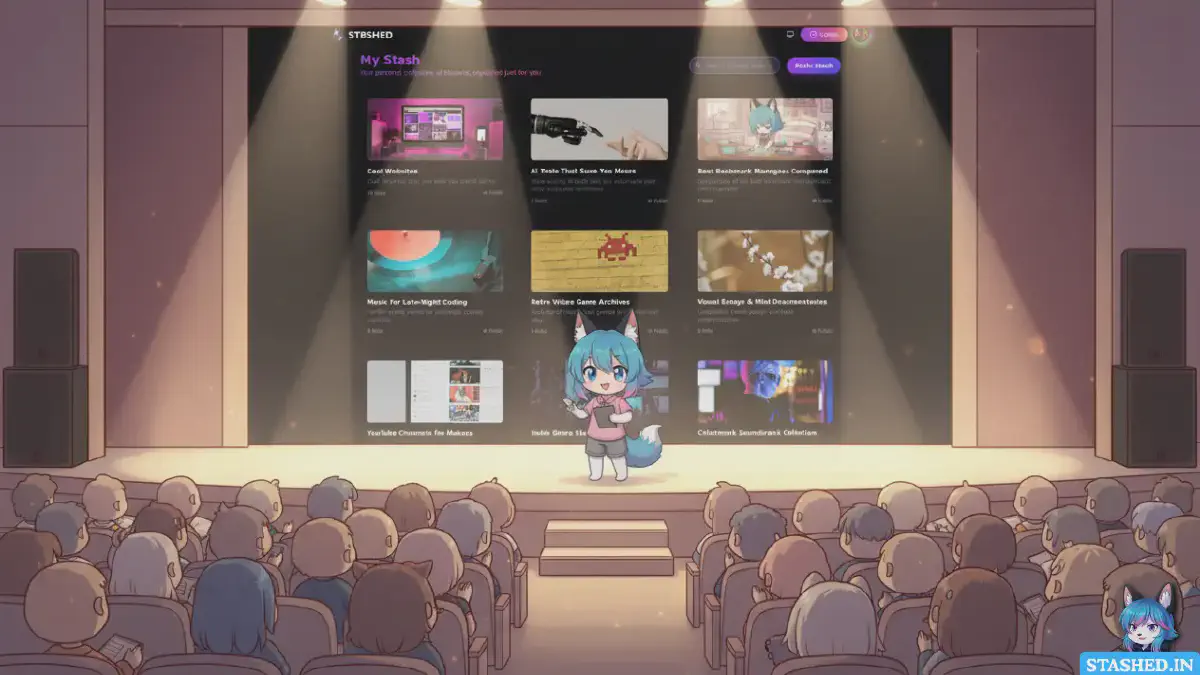
This is where tools like Stashed.in shine. Instead of a list of links, create a stash called “Project X Resources” with sections:
- Getting Started (3-4 foundational resources)
- Tutorials and Guides (hands-on learning)
- Tools and Libraries (what you’ll actually use)
- Best Practices (dos and don’ts)
- Reference Documentation (for when you need specifics)
Share one URL to the stash. Everyone can access the organized collection, see preview images, read your descriptions, and even add their own finds. It becomes a living resource for the project.
Helping Someone Learn a New Topic#
A colleague wants to learn about UX research. They’re starting from zero.
Create a learning path, not a reading list:
“Here’s how I’d approach learning UX research:
Week 1 - Foundations: Start with this overview that explains different research methods: [link] It’s a 15-minute read that gives you the landscape.
Week 2 - Practice: This case study shows research in action: [link] Pay attention to how they structured their interviews.
Week 3 - Hands-on: Try this exercise for conducting your first interview: [link] Even practice with a friend counts.
Ongoing: This blog publishes great research content regularly: [link]”
You’ve transformed scattered links into a structured learning experience. That’s memorable and actually helpful.
Building Your Professional Reputation#
You want to be known as an expert on a topic. Regular helpful link sharing (done well) builds that reputation.
Create public collections on your areas of expertise. On Stashed.in, I maintain public stashes for “Web Development Resources,” “Productivity Systems,” and “Design Tools.”
When relevant questions come up, I share these collections. Over time, people associate me with having excellent curated resources on these topics. It’s passive reputation building through thoughtful curation.
Sharing During Presentations or Workshops#
You’re giving a talk or running a workshop. You reference 10 different tools and articles.
Don’t: Put tiny URLs on slides that nobody can read or type.
Do: Create a single resource collection they can access later. At the end, share one memorable URL: “All resources at stashed.in/yourname/workshop-name”
People can browse at their own pace after the session. You look organized and considerate.
The Art of Adding Context to Links#
Context is what transforms a URL from noise to signal. Here’s how to add it effectively:
The One-Sentence Summary#
Bare minimum: one sentence explaining what this resource is and why it’s valuable.
“Comprehensive guide to API design with real-world examples from Stripe, Twilio, and GitHub.”
That tells me: it’s about API design, it’s comprehensive, it includes examples from companies I know. I can decide if it’s relevant.
The Use Case Description#
Better: explain when and why you’d use this resource.
“Best reference when you’re designing your first API and need to decide between REST and GraphQL. Covers tradeoffs with practical scenarios.”
Now I know this is for API design decisions, not implementation details. I know it’s good for first-timers. I know it compares options.
The Personal Endorsement#
Even better: share your experience with it.
“This tutorial is how I finally understood React hooks after struggling for weeks. The mental model of ‘hooks are just functions’ clicked for me here. Takes about an hour to work through.”
Personal experience makes the recommendation trustworthy and relatable.
The Critical Note#
Best: include caveats or context that helps people use the resource appropriately.
“Excellent overview of machine learning concepts, though note it’s from 2018 so some framework specifics are outdated. The core concepts are still solid.”
Honest, helpful, prevents disappointment.
Creating Shareable Link Collections That People Love#
For topics you share about frequently, pre-curated collections are vastly better than repeated individual sharing.
Choose a Visual Format#
Text lists of links are boring to browse. Visual formats are engaging.
This is why I built Stashed.in with visual organization. Each stash has a header image. Each link shows a preview card. The result looks more like a magazine layout than a spreadsheet.
Visual presentation makes people actually want to explore your collection instead of seeing it as homework.
Organize by Purpose, Not Just Topic#
Instead of one giant “Design Resources” collection, create:
- Design Inspiration (for when you need ideas)
- Design Tools (for when you need software)
- Design Learning (for when you need skills)
- Design Process (for when you need methodology)
Purpose-based organization helps people find what they need based on their current goal.
Write a Clear Introduction#
Every collection needs a 2-3 sentence introduction explaining:
- What’s included
- Who it’s for
- How it’s organized
“This collection has my favorite productivity tools, organized by category. I’ve personally used everything here for at least 6 months. Free options are marked with tags.”
Context helps people understand what they’re looking at.
Keep It Updated#
Dead links kill trust. Outdated information wastes time.
Review your shared collections quarterly. Remove dead links, update descriptions for resources that have changed, add new finds.
A maintained collection is a gift that keeps giving. An abandoned one becomes a liability.
Make It Easy to Contribute#
If you’re sharing with a team or community, let others contribute.
On Stashed.in, you can make stashes collaborative. Share the URL, and team members can add their own finds. The collection becomes richer without all the maintenance falling on you.
Advanced Link Sharing Tactics#
Once you’ve mastered the basics, these advanced techniques take your sharing to the next level:
Create Segmented Collections for Different Audiences#
You might have resources that interest everyone and resources for specific subgroups. Separate them.
Public stash: “Web Development - Getting Started” (beginner-friendly) Password-protected stash: “Advanced Performance Optimization” (for experienced devs)
Different audiences get different collections matched to their needs.
Build Sequential Learning Paths#
For educational sharing, create numbered or sequential collections that guide someone from beginner to advanced.
“React Learning Path, Part 1: Fundamentals” “React Learning Path, Part 2: Hooks and State” “React Learning Path, Part 3: Advanced Patterns”
Sequential structure provides clear progression instead of overwhelming with everything at once.
Include Anti-Examples#
Sometimes showing what NOT to do is as valuable as showing what to do.
Create a section in your collection for “Common Mistakes” or “Outdated Approaches” with notes explaining why these don’t work.
This prevents people from stumbling into known pitfalls.
Add Timestamps and Freshness Indicators#
For rapidly changing fields, note when resources were published and when you last verified they’re current.
“Last updated: November 2024. All links verified working.”
This builds trust that your collection is maintained, not abandoned.
Create Comparison Resources#
Instead of sharing five competing tools separately, create a comparison.
“I’ve used all five of these task managers. Here’s when I’d recommend each one:
- Todoist: Best for [use case]
- Things: Best for [use case]
- Asana: Best for [use case]”
Comparative curation is incredibly valuable because it’s based on actual experience.
How to Share Links Without Being Annoying#
There’s a fine line between helpful expert and overwhelming link spammer. Here’s how to stay on the right side:
Only Share When It’s Genuinely Relevant#
Not every conversation needs resources. Sometimes people want discussion, not links.
Before sharing, ask yourself: “Did they actually ask for this, or am I just excited to share?”
If they didn’t ask and it’s not clearly needed, hold back.
Respect People’s Time#
Be realistic about what you’re asking people to invest.
“This is a 45-minute video” lets them decide if they have that time. Surprise hour-long commitments feel disrespectful.
Quick summaries or timestamps for long content show consideration.
Don’t Share Everything You Know#
The temptation when you know a lot is to show all your knowledge. Resist.
Share the three most relevant resources, not every tangentially related thing you’ve ever found. Curation is about selection, not comprehensiveness.
Follow Up, But Don’t Nag#
If you share resources, it’s fine to check in once: “Did you get a chance to look at those articles? Let me know if you have questions.”
But don’t repeatedly ask if they’ve read what you sent. That makes sharing feel like assigned homework.
Accept That Not Everyone Will Engage#
You might share something you find brilliant that others ignore. That’s okay. Different things resonate with different people.
Don’t take low engagement personally. Keep sharing when relevant, and the people who appreciate your curation will let you know.
Measuring If Your Link Sharing Is Working#
How do you know if you’re sharing effectively? Look for these signals:
People Thank You Specifically#
“That tutorial you shared last month was exactly what I needed” means your curation was on point.
Generic thanks are nice. Specific thanks about impact are the real measure.
You Get Asked Directly#
When people start coming to you first with questions like “Do you have any good resources for X?” you’ve built a reputation as a curator.
Being the go-to person for resources in your domain is the goal.
Your Collections Get Referenced#
Others share your collections with newcomers. Your stashes get bookmarked and returned to. Your curated resources become team standards.
When your curation takes on a life of its own, you’ve created something genuinely valuable.
People Contribute Back#
If you’ve created collaborative collections, others start adding to them. This means they find the collection valuable enough to invest their own time improving it.
Lower Repeated Questions#
If you’ve curated well, the same questions get asked less frequently because people find answers in your shared resources.
Decreased noise is a sign of increased organization.
Common Link Sharing Mistakes to Avoid#
Learn from my mistakes (and many others’):
Sharing Without Reading#
Don’t share articles you haven’t read based on headlines alone. You lose all credibility when someone reads it and finds it’s not what you claimed.
Over-Promoting Your Own Content#
If every link you share is to your own blog or projects, people tune out. Curate broadly, including and especially highlighting others’ excellent work.
Ignoring Dead Links#
Nothing kills trust faster than sharing resources where half the links are broken. Check before sharing, and maintain shared collections.
Forgetting Mobile Context#
Many people will access your shared links on phones. Multi-step processes or desktop-only resources should come with warnings.
“Note: This tool is desktop-only” prevents frustration.
Making Everything Public When It Shouldn’t Be#
Some resources are internal tools, paid content, or sensitive information. Be thoughtful about what you share publicly versus privately.
Password-protected collections exist for a reason.
Your Turn to Level Up Your Link Sharing#
Here’s your action plan:
This week: Next time you share multiple links, add a one-sentence context for each one explaining why it’s valuable.
This month: Create one organized collection on a topic you frequently share about. Use Stashed.in or another visual tool. Include descriptions, organize by purpose, make it shareable.
This quarter: Build a reputation as someone who shares excellently curated resources. When people ask questions in your area of expertise, share from your organized collections.
The difference between looking like a helpful expert and looking like link spam is surprisingly small. It’s context, curation, and presentation.
You’ve got knowledge worth sharing. Make sure the way you share it does justice to the value you’re providing.
Stop dumping URLs. Start curating experiences.
Your colleagues, friends, and community will thank you. And you’ll build a reputation as someone who doesn’t just have answers, but knows how to share them in ways that people actually use.
Now go forth and share links like the thoughtful curator you’re about to become.