I have a confession to make.
Last week, I needed a specific GitHub repository I’d bookmarked three months ago. I remembered it clearly: a brilliant collection of design systems with real-world examples. I’d even told myself “I’ll definitely use this for the next project” as I hit Ctrl+D.
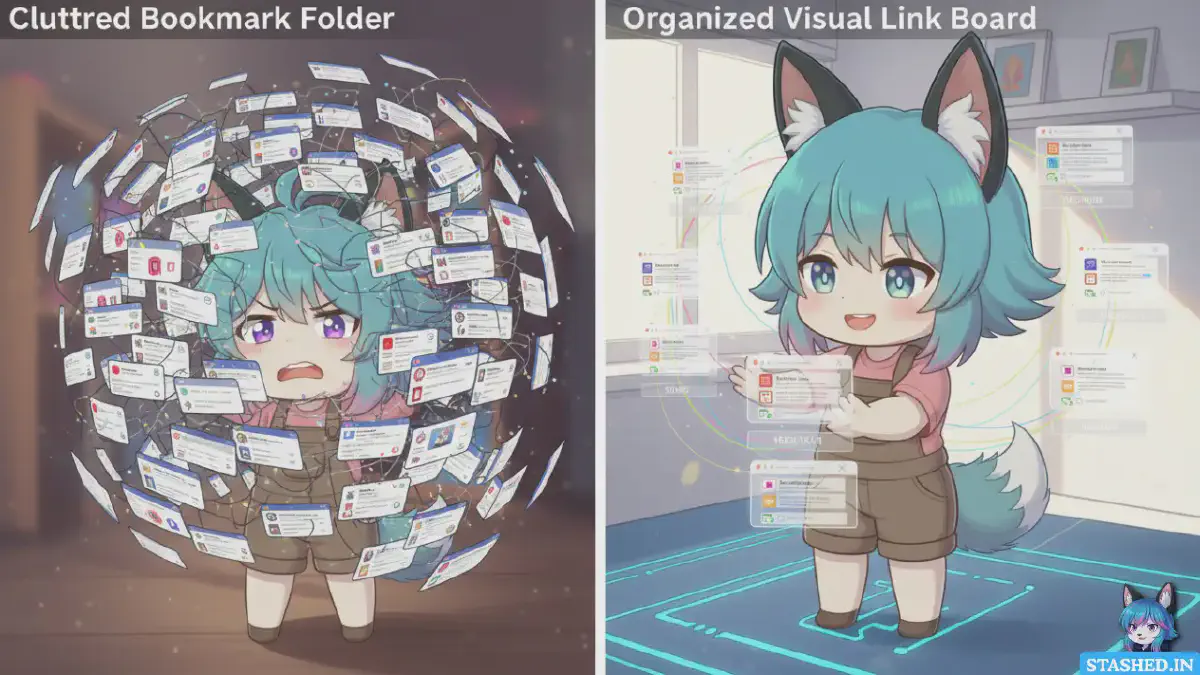
Twenty minutes of searching later, I still hadn’t found it. I checked my “Design” folder (nothing), my “Dev Resources” folder (nope), even my “Unsorted” folder (embarrassingly large, still no luck). Eventually, I gave up and asked a colleague who sent me the link in 30 seconds.
The kicker? When I finally stumbled across it two days later, it was in a folder called “Random Stuff” with 247 other bookmarks. Of course it was.
This isn’t a unique experience. If you’ve been using browser bookmarks for more than a year, you know exactly what I’m talking about. That growing collection of links you swear you’ll organize “later.” Those nested folders with names like “New Folder (2)” and “Temp.” That sinking feeling when you need to find something specific.
Browser bookmarks are the digital equivalent of that junk drawer in your kitchen. You know the one.
But here’s the thing: we keep using them because they’re there, they’re free, and we don’t know what else to do. Meanwhile, link managers have evolved into something genuinely different, not just “bookmarks but fancier.”
So let’s settle this once and for all. Browser bookmarks versus dedicated link managers. Which one actually deserves your time in 2025?
What Browser Bookmarks Were Designed to Do#
To understand why bookmarks feel broken, we need to talk about where they came from.
Browser bookmarks were invented in 1993 with Mosaic, the first popular web browser. The web had maybe 500 websites total. The idea was simple: remember a few URLs you visited often so you didn’t have to type them out.
That’s it. That was the entire use case.
Fast forward to 2025. The internet has roughly 1.1 billion websites. The average person encounters hundreds of interesting links every single day across social media, newsletters, Slack channels, and random rabbit holes. We’re not bookmarking “sites we visit often” anymore. We’re trying to build personal knowledge bases.
Browser bookmarks never evolved to handle this. They’re still fundamentally the same tool from 1993, just with sync capabilities and folder nesting. It’s like trying to manage a modern photo library using Windows 95 file explorer.
The design assumptions are completely mismatched to how we actually use the internet now.
The Honest Pros and Cons of Browser Bookmarks#
Let’s be fair. Bookmarks do have some advantages.
The Pros:
They’re always there. No signup, no subscription, no app to download. Every browser ships with bookmarks built in. The friction to start using them is literally zero.
They’re fast. Ctrl+D (or Cmd+D on Mac) is muscle memory. No context switching, no opening another app. Save and forget in under a second.
They work offline. As long as you’re in your browser, you can access your bookmarks without an internet connection. Not a huge deal in 2025, but worth mentioning.
They’re free. No monthly fees, no premium tiers, no feature paywalls. Everything the browser offers is included.
The Cons:
Organization is a nightmare. Folders seemed like a good idea until you have 50 of them and can’t remember your own logic. Was it filed under the project name? The topic? The website? Who knows!
Search is primitive. Most browsers only search bookmark titles and URLs, not the actual page content. If you titled something vaguely or the URL is cryptic, good luck finding it.
No visual memory aids. Just text. Rows and rows of blue text links. Your brain is wired for visual memory, but bookmarks give you nothing to work with except titles you probably didn’t write thoughtfully.
Zero collaboration features. Want to share a collection of resources with your team? Copy and paste URLs into a doc like a caveman, I guess.
Sync is fragile. In theory, bookmarks sync across devices. In practice, weird conflicts happen. Duplicates appear mysteriously. Sometimes entire folders just… vanish. (Looking at you, Chrome sync.)
No context or notes. You saved a link six months ago. Why? What was interesting about it? What project was it for? The bookmark can’t tell you. Future-you is on their own.
The fundamental issue is that bookmarks treat every link the same: as a URL to remember. But not all links are equal. Some are references for active projects. Some are long reads for later. Some are examples or inspiration. Some are tools you use weekly. Bookmarks don’t distinguish between any of this.
What Modern Link Managers Actually Offer#
Link managers (also called bookmark managers, though I hate that term because it undersells what they do) took the basic concept and rebuilt it for the modern internet.
Here’s what they bring to the table:
Visual Organization
Instead of text-only lists, you get preview images, screenshots, or cards. Your brain processes visual information 60,000 times faster than text, according to research from 3M. When you’re scanning for that article about sustainable architecture, spotting a thumbnail of a green building is way faster than reading 50 titles.
Smart Search and Tagging
The best link managers do full-text search of saved pages, not just titles. They support multiple tags per link, so one article can live in multiple contexts. Some even use AI to suggest tags or automatically categorize content.
Context and Memory
Add notes when you save something. Highlight key passages. Include why it matters or what project it relates to. Six months later, you’ll actually remember why you saved it.
Collections and Curation
Instead of folders, you create collections or boards. Think Pinterest but for any type of link. This encourages you to think thematically rather than hierarchically. One article can appear in multiple collections without duplication.
Sharing and Collaboration
Most link managers make sharing trivial. Send a single URL to share an entire collection. Collaborate with teammates on research. Publish curated resources publicly. Some even have social features where you can follow other people’s collections.
Cross-Platform Reality
Good link managers work everywhere: browser extensions, mobile apps, web apps, even email integration. Save from anywhere, access from anywhere, no sync issues.
Permanent Archives
Many tools save a permanent copy of the page content, so even if the original disappears or goes behind a paywall, you still have it. (Though obviously respect copyright and terms of service here.)
The Real Costs: Time vs. Money#
The obvious argument for bookmarks is “why pay for something when my browser does it free?”
Fair question. Let’s break down the actual costs.
Browser Bookmarks:
- Monetary cost: $0
- Time cost of saving: 2 seconds
- Time cost of finding something later: 2-10 minutes (or infinity if you never find it)
- Time cost of organizing: Either zero (because you don’t) or hours (if you try to clean up periodically)
Link Managers:
- Monetary cost: $0-10/month (many have generous free tiers)
- Time cost of saving: 3-5 seconds (slightly more for adding tags/notes)
- Time cost of finding something later: 10-30 seconds
- Time cost of organizing: Minimal, because the system encourages organization as you go
Do the math. If you save 5 links per day and need to refind 2 of them per week, how much time do you spend searching through poorly organized bookmarks versus a proper link manager?
Let’s be conservative: 3 minutes per week searching through bookmarks versus 30 seconds with a link manager. That’s 2.5 minutes saved per week, or roughly 2 hours per year.
For most people, 2 hours of their time is worth more than $50-120/year (the typical cost of premium link managers). And that’s ignoring the value of actually using saved resources instead of forgetting they exist.
The free option isn’t free if it wastes your time.
Why Visual Organization Changes Everything#
This deserves its own section because it’s the most underrated difference between bookmarks and modern link managers.
When I built Stashed.in, visual organization was the core insight. Not because I’m a designer (I’m not), but because I noticed something about my own behavior.
I never browsed my bookmarks. Ever. Opening that dropdown menu felt like homework. Scanning through text lists was boring and effortless. So I didn’t do it, which meant I never rediscovered anything useful.
But I did browse Pinterest. Instagram. Even my photo library. Why? Because scrolling through visual content feels like entertainment, not work. Your brain is wired to find patterns in images. It’s enjoyable in a way that reading lists isn’t.
That’s why Stashed.in works like Pinterest but for any link. Each stash has a header image (like a Pinterest board). Each saved link shows up as a card with a preview image, title, and description. When you open a stash, you see a visual grid, not a list.
The difference is profound. People actually browse their stashes. They rediscover content they’d forgotten about. They make connections between ideas because the visual layout lets you see multiple things at once.
This isn’t about making things “pretty” (though that helps). It’s about matching the interface to how humans actually think and remember. We’re visual creatures. Give us visual tools.
The same principle applies to other visual-first link managers. When you can see your saved content laid out spatially, your relationship with it changes. It stops being a dumping ground and starts being a curated collection you’re actually proud of.
The Sharing Factor: Personal vs. Social Knowledge#
Here’s something bookmarks can’t do at all: facilitate knowledge sharing.
In 2025, so much of work is collaborative. You’re doing research for a project, and three colleagues need access to the same resources. You’re learning a new skill, and you want to share helpful tutorials with a study group. You’ve curated an amazing collection of design inspiration, and others in your field would benefit from seeing it.
With bookmarks, your options are:
- Export to HTML and email it (absolutely nobody will find this useful)
- Copy and paste URLs into a doc or spreadsheet (tedious and fragile)
- Give up on sharing
Link managers make this trivial. Most have sharing built in:
- Generate a public or private link to a collection
- Collaborate with specific people in real-time
- Publish collections as curated resources others can follow
- Password-protect sensitive shared content
Stashed.in leans into this. You can keep stashes private (most people’s default), password-protect them for selective sharing, or make them fully public. This flexibility means you can use one tool for everything from personal research to team collaboration to public content curation.
The social dimension unlocks new use cases:
- Marketing teams sharing competitive research
- Student groups building study resource libraries
- Communities curating tools and tutorials
- Individuals building authority by publishing their knowledge
Your bookmarks are siloed in your browser. Your knowledge should be shareable.
When Browser Bookmarks Still Make Sense#
Look, I’m clearly biased toward link managers (I built one). But let’s be intellectually honest: there are situations where plain bookmarks are fine.
You barely save anything. If you bookmark 5-10 things per year, don’t overcomplicate it. The organizational overhead of a dedicated tool isn’t worth it.
You only need quick access to frequently visited sites. That’s what bookmarks were designed for. If you just want your most-visited sites in the bookmark bar for one-click access, perfect. Use bookmarks for that.
You’re extremely privacy-conscious. Browser bookmarks live locally or sync through your browser’s account. No third-party service involved. For some people, that’s non-negotiable.
You have zero budget. If money is genuinely tight and you can’t spare even $5/month, free browser bookmarks are better than nothing. (Though many link managers have excellent free tiers.)
You need something immediately. If you just want to mark a page right now and deal with organization never, Ctrl+D works fine.
The key insight: bookmarks are acceptable for quick, temporary saves or frequently accessed sites. They break down when you’re trying to build a reference library, do research, or organize knowledge long-term.
Making the Switch: What Actually Happens#
If you’re convinced link managers are better but worried about the transition, let me tell you what the process actually looks like.
Week 1: Excitement and Chaos
You sign up for a link manager, maybe import your bookmarks, and start using it. Everything is new and slightly confusing. You’re not sure how to organize things yet. You probably over-tag everything because you’re enthusiastic.
Week 2-3: Finding Your System
You start developing patterns. Maybe you use collections for projects and tags for topics. Or vice versa. You realize some of your imported bookmarks are dead links or irrelevant. You delete them. You begin to develop muscle memory for saving links properly.
Week 4-6: The Crossover
You notice you’re naturally reaching for the link manager instead of bookmarks. When you need something, you check there first. You start finding things faster. Colleagues ask “how did you find that so quickly?” You smile mysteriously.
Month 2+: New Habits Solidify
The link manager is just how you work now. You’ve built collections for active projects, references, learning resources, inspiration. You’re browsing your saved content semi-regularly and actually using it. You occasionally share collections with teammates. Someone tells you it’s useful.
Month 6: You Forget Bookmarks Exist
You accidentally bookmark something out of habit, and it feels weird and primitive. “Wait, there’s no preview image? No tags? No notes? How do people live like this?”
The transition isn’t instant, but it’s not hard either. The improvement is so obvious that the new habit sticks naturally.
The Verdict: Who Wins in 2025?#
Let’s cut to it. If you’re reading this article, you’re probably someone who:
- Saves links regularly (more than once a week)
- Sometimes struggles to find things you’ve saved
- Works on projects that involve research or references
- Values organization but finds yourself not organizing
- Wishes there was a better way
For you, link managers win. Easily. It’s not even close.
Browser bookmarks are a 32-year-old solution designed for a different internet. They work acceptably if you barely use them. They fail miserably if you rely on them.
Modern link managers understand how we actually use the internet in 2025. They’re built around visual memory, smart search, contextual organization, and collaborative work. The best ones feel less like “saving bookmarks” and more like “curating knowledge.”
Is there a learning curve? Slight. Is there sometimes a cost? Yes, though many excellent tools have free tiers. Is it worth it? Absolutely, if you value your time and want to actually use the content you save rather than hoarding it in a digital void.
The question isn’t really “which is better?” The question is “how much longer will you tolerate bookmarks before switching?”
Try This: The Two-Week Challenge#
Here’s my suggestion. Pick a link manager (Raindrop.io, Notion, Stashed.in, whatever appeals to you) and commit to using it exclusively for two weeks. Not alongside bookmarks, replacing bookmarks.
Don’t import your old bookmarks yet. Start fresh. Save everything new through the link manager. Add quick notes or tags. Create a few collections for different contexts.
After two weeks, honestly evaluate: did you find things faster? Did you actually browse your saved content? Did the organization feel more natural? Did you share anything with others?
If the answer is yes, congratulations, you’ve upgraded your digital life. If the answer is no, bookmarks are still there waiting for you.
But I’d bet money you won’t go back.
The internet is too big, too fast, and too valuable to manage with tools from 1993. It’s time to upgrade. Your future self will thank you.